On this page
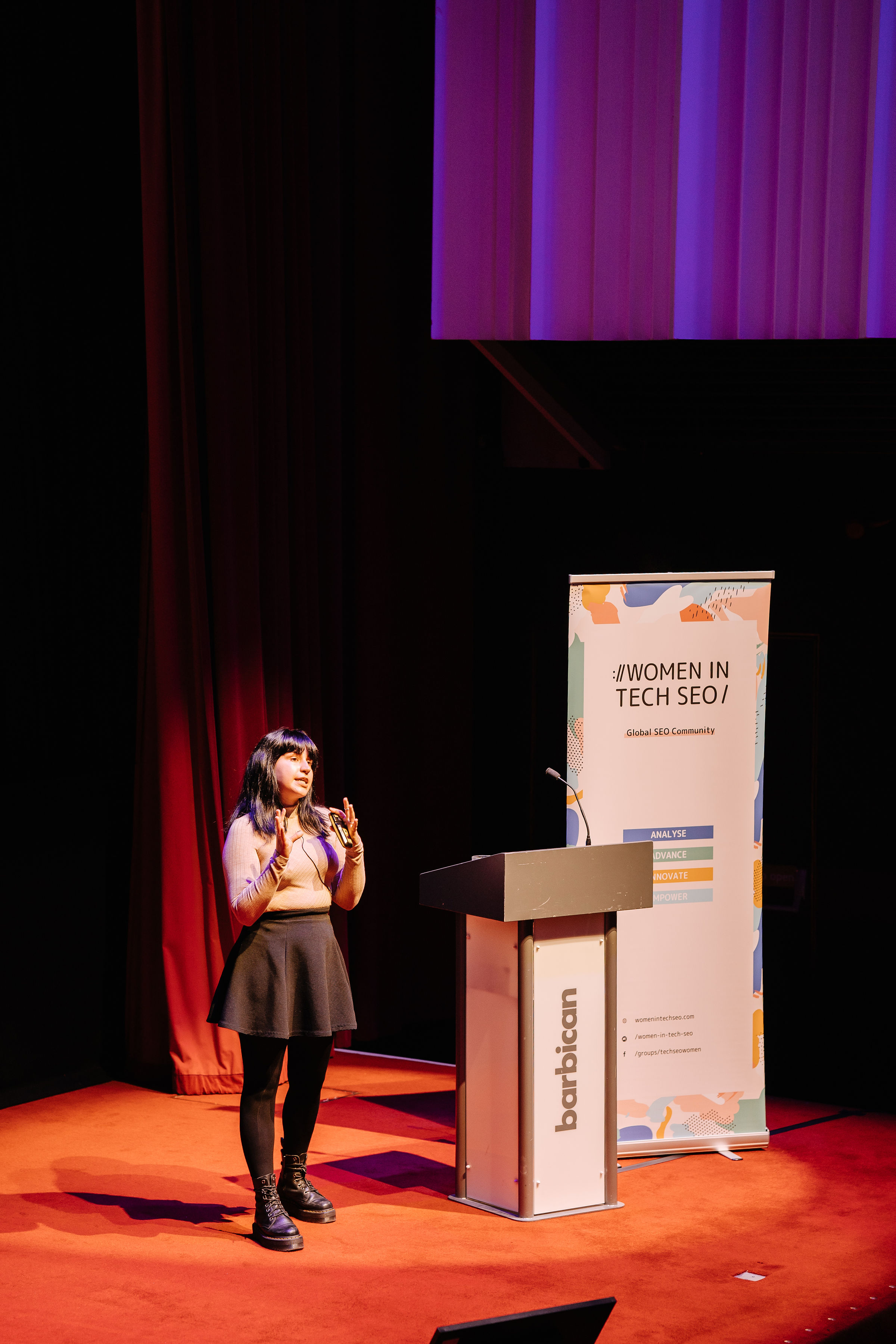
In November 2024 I opened the Women in Marketing – Bulgaria mini-conference on Google’s product suite for marketing with a promise I almost kept: I wasn’t going to say “AI” once. This is the write-up of that talk, a beginner’s guide to automating real marketing tasks with Google Cloud’s machine learning APIs and Gemini, updated for October 2026.
About this talk
- Event: Google Product Suite for Marketing mini-conference, Women in Marketing – Bulgaria
- City: Sofia, Bulgaria
- Date: 22 November 2024
- Video: Watch on YouTube
- Slides: Download the deck (PDF)
- Community lesson: Transcript, slides and quiz on the Women in Marketing – Bulgaria site
The room was a mix of SEOs, social media managers, content people and a few brave generalists. Most of them had played with ChatGPT. Very few had ever touched an API. So my aim was deliberately small, and I said so on stage:
- Get you started. Not teach you everything about machine learning, just enough to get the first bit of dopamine from an automation that works.
- Give you a little theory, so you know which tool fits which job, and why “just ask ChatGPT” isn’t always the answer.
- Give you ideas. Not an exhaustive list (LinkedIn already has 15,000 people doing that), but concrete, no-code starting points for SEO, social, local, video and content.
This write-up follows the same three steps. Where Google has moved on since that evening in Sofia (and it has moved a lot), I’ve updated the tools, models and prices and said so. Every new fact links to Google’s own documentation, checked in October 2026.
Why I (mostly) didn’t say “AI”
I started with a definitions slide, because the words matter. Artificial intelligence is the design and study of systems that *appear* to demonstrate intelligent behaviour: think self-driving cars or recommender systems, often several models stitched together. Machine learning is a subset of that: an approach where models are trained to make predictions. That’s it. Nobody in that room was going to build the next Netflix or Tesla, and you don’t need to either.

Generative AI sits in a tiny corner of that diagram, and LLM chatbots like ChatGPT or Gemini are an even tinier dot inside it. If your LinkedIn feed looks anything like mine, you’d think that dot was the whole picture. It isn’t. Most of what I showed that evening is plain, boring, reliable machine learning. That’s exactly why it works.
The only theory you need to get started
Before you automate anything, look at three things: the task, the data and the solution.
1. The task
Simplified a lot, machine learning comes in two flavours:
- Supervised: you have labelled data, so you can check whether the model’s predictions are right. Regression and classification live here.
- Unsupervised: you don’t have a way to validate the results. You hand over the data and ask, “what does this say?” Clustering and dimensionality reduction live here.
The real field looks far messier than that, with a model for every task and several ways to train each one. But here’s the one takeaway I’d want you to leave with: you don’t need to understand everything to get started. You don’t need to be an expert in programming, maths or machine learning. Pick one thing and start there.
You also have a choice about whose model you use:

- Self-train: you train a model from scratch on your own data. That takes a lot of data and a lot of know-how.
- Pre-trained: someone else (here, Google) has trained it. You read the documentation and apply it to suitable data.
- Fine-tune: you take a pre-trained model and adapt it with a smaller, specialised dataset. It’s the middle ground for a specialised domain.
Since I gave this talk: I pointed people at AutoML for fine-tuning. That advice is out of date. Google has deprecated AutoML for text: since 15 September 2024, custom text classification, entity extraction and sentiment objectives have to move to Gemini prompts and tuning, and existing AutoML text models stopped working on 15 June 2025 (Google Cloud deprecations). Today, “fine-tune” on Google Cloud mostly means tuning a Gemini model. For beginners, my advice hasn’t changed: start with pre-trained.
2. The data
Is your input text (page content, reviews, comments), numbers (traffic, conversions, forecasts) or images? Time series? Pin down exactly what you’re working with, because it decides which API you even look at. Text points to the Natural Language API, images to Vision, audio to Speech-to-Text.
3. The solution: four questions before you automate
This was the slide sequence people photographed the most, so here it is in full:
- Is the task mission-critical? If your job (or your team’s performance review) depends on, say, an accurate 2025 forecast, don’t rely on machine learning. And don’t brag to your boss that you built it in 20 minutes. Seriously.
- Must the results stay consistent every time? Then don’t rely on generative AI, and don’t over-rely on unsupervised approaches.
- Must the results be easy to explain to the stakeholders signing off on them? Then skip deep learning.
- Is it fine if the output simply beats existing methods on average? Then yes: look at your machine learning options.

I told one story to make the explainability point. Shortly before the event, Google had held a creator summit with independent publishers whose traffic had collapsed. As one attendee recounted it, a site owner asked them to troubleshoot, step by step, why their site had disappeared, after being told their content wasn’t the problem. That’s just not how a deep learning system works. It’s not an IF-ELSE chain where someone can point at line 47. You can’t explain why Forbes ranks and your friendly neighbourhood blog of 20 years doesn’t. That’s precisely the stakeholder-explainability failure on my flowchart.
The “on average” case is where automation shines. I used to be the intern you handed meta descriptions and image captions to. Nothing breaks if one caption is slightly off. It’s not a critical task, so automate it and keep a human in the loop to check.
Even then, weigh it up properly: insights, complexity, accuracy, scalability, the data you actually have (data in = data out), the resources it takes and the bottom line. Don’t do it because you saw it on LinkedIn. (I go deeper on this trade-off in rule-based vs AI-powered automation and how to incorporate machine learning into your SEO day-to-day.)
A word on bias
Every model inherits the biases of its training data: job ads for programmers shown mostly to men, facial recognition that performs worse on some skin tones, image generators that tie jobs to genders. If you train from scratch, use large, representative datasets and test properly. With a pre-trained model you don’t control the training, so do two things. Read the model’s documentation, because researchers usually list the biases they’ve found. And when you prompt a generative model, say explicitly what you *don’t* want to see. Then read the output with those biases in mind.
Machine learning for SEO: the Cloud Natural Language API
Now the meat, as I promised the room. Almost everything in this section uses one API, the Cloud Natural Language API, through free no-code Google Sheets templates on MLforSEO. Each one takes about 20 minutes to set up: create an API key, scrape your content (I use Screaming Frog, which was one of the event’s scholarship sponsors), paste it into the sheet and run.
Text classification: audit a content library you’ve never read
Classification is a supervised approach: it sorts documents into labels that already exist. The Natural Language API’s `classifyText` method gives you a category label and a confidence score for each page, with primary, secondary and tertiary levels. So “Arts & Entertainment” breaks down into visual arts or performing arts, and further into museums and galleries.

Where it earns its keep: sites that never had a coherent tagging system, or ten writers each tagging their own way. Classify everything, then pull the categories into a dashboard next to Search Console and analytics data. Now you can see which topics (or which authors) don’t get clicks or engagement. The same method works on competitors’ content.
Since I gave this talk: the deck says “1,300+ categories”. Google’s documentation now gives the V2 classification model’s taxonomy as 1,091 content categories (release notes). The V2 model also returns parent and child categories together instead of filtering to the most specific one (content categories). Classification also has the most generous free tier of the API: the first 30,000 units a month are free (pricing).
Get it: text classification in Google Sheets tutorial · no-code Sheets template · Python/Colab notebook · classification dashboard template. New to classification? Start with what ML classification is and where it fits in SEO.
Entity analysis: what’s actually in your content
Classification tells you a page is news about politics. Entity analysis tells you which places, people and organisations it mentions. Together they let you understand a content library without reading it.

For each entity, the API can return its type, its importance to the document, how it was mentioned (Obama, Barack, “the 44th president”), its sentiment, and metadata such as a Wikipedia URL and a Knowledge Graph ID. Point it at your own content, competitors’ content, YouTube transcripts, your SERPs, user-generated content, social mentions or your internal link anchors. It’s a goldmine.
Since I gave this talk: pay attention to which API version you call. In v1, entities still come with `salience` (importance) and, for most entity types, `wikipedia_url` and a Knowledge Graph `mid` (v1 Entity reference). The v2 entity model drops salience and the Wikipedia metadata, and adds a probability score instead (release notes). v2 also has no entity sentiment and no syntax analysis method (REST reference). If salience or knowledge-graph links are why you’re doing this (and for SEO they usually are), stay on v1.
Get it: entity extraction in Google Sheets tutorial · no-code entity template · Python tutorial · what entity extraction is and where it fits in SEO.
“Why not just use ChatGPT?”
Someone always asks. My answer on stage was blunter than I’ll be here, but the substance stands. For tasks like this, a model built for the job beats a general chatbot. When I ran the same text through both for my GPT-4 vs Google Cloud comparison, the Natural Language API found 53 entities and ChatGPT found 16. The chatbot also invented entity types that don’t exist and gave none of the extra data points.

There’s an SEO argument too. When Google has built a model for its own systems and released it as an API, I’d rather use that model than a stand-in. We’re all, to some degree, at the mercy of Google’s ranking systems.
Since I gave this talk: to be fair to LLMs, they’ve improved a lot since 2024, and the Gemini API now offers structured output against a JSON schema, which makes extraction far more predictable (structured output). Even so, I’d still pick the purpose-built API whenever I need the same answer every run, published taxonomies and fields such as salience, all at a per-character price. I’ve updated the head-to-head in comparing NLP APIs for entity and sentiment analysis (vs generative AI).
Content moderation: brand safety and a YMYL detector
The same API has a `moderateText` method that scores text against 16 categories: Toxic, Derogatory, Violent, Sexual, Insult, Profanity, Death, Harm & Tragedy, Firearms & Weapons, Public Safety, Health, Religion & Belief, Illicit Drugs, War & Conflict, Finance, Politics and Legal (moderating text).

Here’s the bit that made the room sit up. Look at those categories next to Google’s quality rater guidelines on “Your Money or Your Life” topics (happiness, health, financial stability, safety) and they line up almost exactly. So the API doubles as a YMYL detector for your content. Join the scores to your traffic data and you might find that an article underperforms not because of targeting or research, but because the author slipped a political opinion into it. For my demo I scraped SEO Reddit. Two posts came back flagged as extremely toxic. Is anyone surprised?
Get it: content moderation in Google Sheets tutorial · moderation template. Moderation is billed in 100-character units, with the first 50,000 units a month free (pricing).
Sentiment analysis: reviews, mentions and publisher relationships
Scrape your Google Business Profile reviews, Amazon reviews or wherever your reviews live (a browser scraper extension is enough). Run them through the sentiment template and you get a score (positive or negative) and a magnitude (how strong the emotion is). Do the same with third-party articles about your brand, and you’ll see which publishers are fans and which are quietly unhappy, so you know where to build partnerships and who to reach out to.
Get it: sentiment analysis in Google Sheets tutorial · no-code sentiment template · customer review semantic analysis.
What the Natural Language API costs in 2026
You’re billed in units of 1,000 characters (100 for moderation), and every feature has a monthly free allowance (Natural Language API pricing):
| Feature | Free units per month | What it gives you |
|---|---|---|
| Entity analysis | 5,000 | Entities, types, mentions (plus salience and Wikipedia/KG metadata in v1) |
| Sentiment analysis | 5,000 | Document and sentence score and magnitude |
| Entity sentiment (v1 only) | 5,000 | Sentiment per entity |
| Syntax analysis (v1 only) | 5,000 | Tokens, parts of speech, dependency trees |
| Content classification | 30,000 | Category labels with confidence |
| Text moderation | 50,000 (100-character units) | 16 safety and sensitive-topic scores |
For a typical content audit of a few thousand pages, you’ll pay nothing or close to it. Above the free tier, check the live pricing page: entity sentiment costs twice as much as entity analysis, and the per-unit price falls at higher volumes.
Social media, local SEO and video: autocomplete as a research tool
Autocomplete endpoints show you what Google thinks the next step in a user’s journey is, while they’re still typing. You can pull suggestions from YouTube’s search bar for video ideas, and from Google Maps and the Places API for local SEO. You can change the user’s location, and even query physical landmarks (what does someone typing “Eiffel Tower” into Maps get offered?).
Get it: how to use Google Autocomplete and Places APIs for keyword suggestions · multi-platform autocomplete notebook.
Automated content transformation
I don’t need to tell a room of marketers that one blog post shouldn’t stay one blog post. It can become a video, an audio piece, a social post or a forum answer. A strong video can become an article. The APIs below do the heavy lifting.
Video to text: Speech-to-Text
Good videos on YouTube but nothing on the blog? Transcribe them. In 2024 I said that Google Cloud Speech-to-Text and Amazon Transcribe had features that put them ahead of OpenAI’s Whisper API, and that no-code tools built on top of those models charge you more for the same job.

The real power is in combining approaches. SERPs were ranking more videos, but there was still plenty of traffic for web pages, and some YouTubers were doing a poor job of blogging. So: scrape the videos, transcribe them, identify topics and subtopics, extract entities, and compare it all with your website to find and close the information gaps.
Since I gave this talk: Google’s speech stack has moved on. Chirp 3: Transcription is now generally available in Cloud Speech-to-Text, with speaker diarisation and automatic language detection across 85+ languages (release notes). Speech-to-Text v2 costs $0.016 per minute at standard volumes, or $0.003 per minute if you can wait for dynamic batch processing. v1 still includes 60 free minutes a month (pricing). The Gemini API also has a dedicated Gemini 3.5 Transcribe model with diarisation and word timestamps (models), at roughly half a cent per minute of audio by Google’s estimate (pricing).
My old Whisper transcription tutorial still works if you’re on OpenAI.
My caveat from the stage stands, word for word in spirit:
| What I’m not saying | What I am saying |
|---|---|
| Spam your blog with auto-transcribed content | Bridge the gaps between teams that work in silos, especially in enterprise |
| Fire your content team | Make content work harder, especially if you already produce webinars, live streams and conferences |
| Scrape competitors’ YouTube videos, transcribe them and “traffic to the moon, bro” | Use transcription for competitor analysis, not copying |
In practice it’s an easy conversation to have with a video team: “We could get this much extra traffic if we spend two hours editing a draft based on your video.” Happy collaboration all round.
Text to audio: Text-to-Speech
The reverse case: a library of high-performing tutorials and no presence on YouTube or TikTok. Text-to-Speech lets you pick a language, voice and dialect and process text in bulk. Then the same caveat in reverse: don’t fill YouTube with AI-generated trash, and don’t pretend this replaces video production. Some formats (tutorials and interviews especially) work fine as audio over stills. If you go further into synthetic video, keep a human look and feel, for example with an avatar based on a real person.
Since I gave this talk: the voice line-up is different. Google now lists Standard and WaveNet as legacy voices. The headline option is Chirp 3: HD (1 million characters free a month, then $30 per million), alongside Neural2 ($16 per million) and Studio voices (Text-to-Speech pricing). There are also token-priced Gemini TTS models such as Gemini 3.8 Flash TTS (models).
Text to text: where any LLM will do
This is the one place I told the room to relax about which model they use. Turning blog posts into social posts, rewriting posts as newsletter drafts, pulling key insights out of PDF reports and case studies, writing product descriptions from a product database, summarising what users say about a product across reviews: overall, any LLM does a good job here. It all still needs human editing at the end. And skip the web tools that are thin wrappers around someone else’s model, because you’re paying extra for an interface.
Automating marketing tasks with Gemini: then and now
I closed with Gemini, framed (with tongue firmly in cheek, since two of Google’s teams had supported the event) as an alternative to ChatGPT. In 2024, the use cases I demoed were:
- Titles from a document in Google Drive: great for blog posts.
- Analysing images and graphs: captions, quick data commentary when you don’t have an analyst to hand.
- Summarising PDFs, decks and papers, and pulling out insights.
- Ad copy from a landing page: save your landing page (or a competitor’s) as a PDF, upload it and get copy or a brief for a more comprehensive competing page.
- Social posts and Shorts ideas, using the YouTube integration to analyse videos.
All of those still work. Some of the details have changed:
- Extensions are now Connected Apps. The Gemini app connects to Google apps (Gmail, Calendar, Maps, YouTube and more) and to third-party services (Gemini Apps privacy, connected apps list).
- The models are completely different. The Gemini 1.5 models that were current when I gave this talk have been shut down, and so have the Gemini 2.0 Flash models (deprecations). As of October 2026, Google’s flagship is Gemini 4 Argon, and for new projects it recommends Gemini 3.8 Flash or Gemini 3.5 Flash-Lite. The 2.5 models still run but are limited to existing users (models). This list changes every few months, so check the models page rather than trusting any blog post, including this one.
I need to correct myself on privacy
On stage I said Gemini would feed all your work files into training and that Google “doesn’t care” about your privacy. That was too sweeping, and it doesn’t match what Google documents today, so here’s the more precise version.
- Google Workspace (business accounts): Google’s privacy hub says your content “is not human reviewed or otherwise used for Generative AI model training outside your domain without permission” (Workspace privacy hub).
- The consumer Gemini app: Google says it uses your activity to improve its services, including training generative AI models, and that a subset of chats is reviewed by humans. Activity auto-deletes after 18 months by default (Gemini Apps privacy).
- The Gemini API: on the free tier your content is used to improve Google’s products. On the paid tier it isn’t (pricing).
So my advice holds: don’t upload sensitive client documents to a free, consumer tool. Use a work account or the paid API for anything confidential, and read the settings either way.
Google AI Studio vs Vertex AI (now the Gemini platform)
This came up in the Q&A and in Slack afterwards, and it has got both simpler and more confusing since. Simpler, because one SDK now talks to both. More confusing, because Vertex AI has been rebranded: cloud.google.com/vertex-ai now redirects to Google Cloud’s Gemini platform (product page).
| Google AI Studio + Gemini Developer API | Gemini platform on Google Cloud (formerly Vertex AI) | |
|---|---|---|
| Best for | Prototyping, personal projects, most marketing automations | Teams that need enterprise controls, governance and Google Cloud integration |
| Getting started | An API key from AI Studio, with a free tier | A Google Cloud project with billing |
| Data use | Free tier: used to improve Google’s products. Paid tier: not used | Paid Google Cloud service |
| Code | Google Gen AI SDK | The same Google Gen AI SDK |
Google’s own guidance is refreshingly direct: “Most developers should use the Gemini Developer API unless there is a need for specific enterprise controls” (Gemini Developer API vs Gemini platform). For the marketers in that room, that means starting in AI Studio. Move to Google Cloud when your company’s security team asks you to.
Prices, per million tokens on the paid tier (Gemini API pricing):
| Model | Input | Output | Note |
|---|---|---|---|
| Gemini 3.5 Flash-Lite | $0.30 | $2.50 | Free tier available; good default for bulk rewriting and tagging |
| Gemini 3.8 Flash | $0.75 | $3.75 | Introductory price until 31 Dec 2026, then $1.50 / $7.50 |
| Gemini 4 Argon | $2.00 | $10.00 | Introductory price until 30 Nov 2026, then $4.00 / $20.00; no free tier |
If a job can wait, the Batch API runs it asynchronously at 50% of the standard cost (Batch API). For the content-transformation jobs above, that’s an easy saving.
And the other Cloud APIs: Vision, briefly
I didn’t demo the Vision API in Sofia, but it’s the image equivalent of everything above: labels, OCR, logo and landmark detection, SafeSearch, object localisation and web detection (Vision features). The first 1,000 units a month are free, and most features cost $1.50 per 1,000 units after that (each feature applied to an image is one unit) (Vision pricing). Celebrity recognition was shut down in September 2025 (Vision deprecations).
Where to start: a checklist
- Pick one task that isn’t mission-critical and where “better on average” is good enough: captions, meta description drafts, content tagging.
- Run the four questions: mission-critical? Must be consistent? Must be explainable? Fine if better on average?
- Choose the purpose-built API first (Natural Language, Vision, Speech) when you need consistent, structured output. Reach for Gemini when the task is genuinely generative.
- Grab a no-code template from the MLforSEO resource library and run it on 100 rows before you run it on 10,000.
- Check the API version (v1 if you need salience and Wikipedia metadata) and the free tier before you scale.
- Keep a human in the loop, and read the model’s documentation for known biases.
- Use a work account or the paid API for anything confidential.
If you’d like the structured version of all this, with the theory, the templates and weekly practical lessons, it’s what I teach in the Introduction to Machine Learning for SEO course at the MLforSEO Academy. (On stage I could only promise the academy for 2025. It’s live now.) There’s also the Introduction to Machine Learning for SEOs ebook if you prefer to read, and my longer machine learning for SEO beginner’s guide here on the site.
A big thank you to the Women in Marketing – Bulgaria community and our scholarship sponsors, Screaming Frog, Majestic and Google Search Central, who made free places possible. The full transcript, slides and quiz are on the community lesson page.
Frequently asked questions
Do I need to code to use the Google Cloud ML APIs?
No. Every Natural Language API method in this talk can run from a Google Sheet with a free template and an API key; the MLforSEO resource library has no-code versions alongside the Python notebooks. You do need a Google Cloud project with billing enabled, although most small audits stay inside the free tier.
Should I use v1 or v2 of the Natural Language API?
For SEO entity work, usually v1: it still returns salience plus Wikipedia URLs and Knowledge Graph IDs, and it’s the only version with entity sentiment and syntax analysis. v2 is worth it for classification, where its taxonomy has 1,091 categories (release notes).
Is Gemini better than ChatGPT for marketing tasks?
For open-ended text-to-text work, any strong LLM does a good job, so pick the one your team already uses. Gemini’s advantages are its native connections to Google apps such as Drive and YouTube, and the Gemini API’s pricing tiers. For extraction and classification tasks that must be consistent, I’d still use a purpose-built API over either chatbot.
What’s the difference between Google AI Studio and Vertex AI?
AI Studio is the quick way into the Gemini Developer API, with an API key and a free tier. Vertex AI, now Google Cloud’s Gemini platform, adds enterprise controls on top. Google recommends the Developer API for most developers (comparison), and the same Gen AI SDK works with both.
Is it safe to upload client documents to Gemini?
Not to the free consumer app: Google says it may use that activity to train models, and humans review a subset of chats (Gemini Apps privacy). Workspace business accounts and the paid Gemini API don’t use your content for training in the same way (Workspace privacy hub), but check your organisation’s settings and your client contracts first.
Want me to give this talk at your event? Book me to speak.
Written by Lazarina Stoy
Organic growth and AI automation consultant, speaker, and founder of MLforSEO and Data Studio for Marketers. I help marketing teams use AI and automation in ways that are practical, sustainable and scalable.