On this page
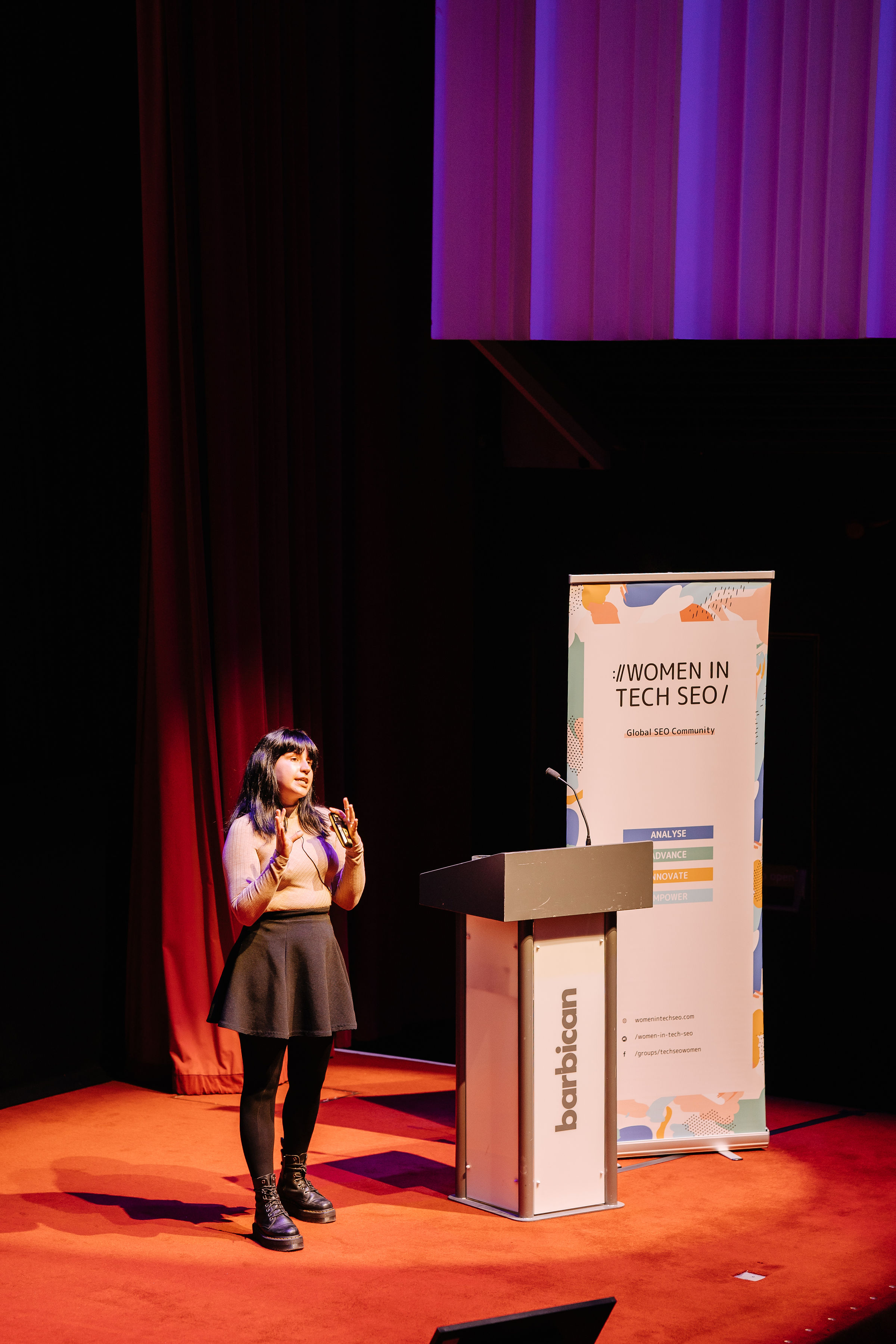
In October 2024 I walked on stage at TechSEO Connect in Raleigh with 140 slides and a confession: I hate audience participation. Then I asked everyone who considered themselves “not that technical” to raise a hand. Hands went up all over the room, and I told them this talk was for them.
About this talk
- Talk: How to incorporate machine learning into your SEO day-to-day
- Event: TechSEO Connect 2024
- City: Raleigh, North Carolina, US
- Date: 17 October 2024
- Video: Watch the talk on YouTube (about 33 minutes)
- Slides: Download the deck (PDF)
- Series: Part 2 of 2. Part 1 is Machine Learning for SEO: How to Get Started (WTSFest 2022).
Two and a half years after my beginner’s guide to machine learning for SEOs at WTSFest, the conversation had changed completely. Everyone was riding the generative AI train. Newcomers were rarely learning anything beyond LLMs, and many stopped at ChatGPT as their only interface to them. That puts a ceiling on what you can achieve with predictable, repeatable, trustworthy results, and when people hit that ceiling they tend to give up on the technology altogether.
So I gave a deliberately practical talk with a slightly unfashionable argument: for a lot of everyday SEO tasks, classic machine learning models and purpose-built APIs are faster, more precise and more repeatable than a chatbot. If you can make that case to your stakeholders, you can sell them better processes than “just use ChatGPT”.
I gave versions of it that month at BrightonSEO and Search ‘n Stuff in Antalya too. This write-up follows the TechSEO Connect version, slide by slide, and updates every method to October 2026. I’ll cover three things:
- What you really need to start, as a short recap of part 1 with one important addition.
- Nine machine learning projects for immediate value, each with a tutorial or template, an honest “why not just use an LLM?”, and what has changed since I gave the talk.
- What you need to grow as an SEO who uses machine learning. (Not as a machine learning engineer. Let’s face it, we’re not becoming those anytime soon. We just want to do our jobs a little faster.)
Since I gave this talk: what changed in two years
My core argument has held up, but I want to be upfront about where the ground moved:
- LLMs got better at structured work. The major APIs now support structured outputs, so a model always returns data that fits the JSON schema you give it. That makes LLM labelling far less messy. It guarantees the format, though, not that the values are right.
- Bulk LLM work got cheaper. OpenAI’s Batch API gives a 50% discount on jobs that can wait up to 24 hours, and other providers offer similar options.
- Some tools I named have been replaced. OpenAI now recommends a newer transcription model over Whisper, Google has a third generation of its speech models, and Google’s FAQ rich results are now limited to authoritative government and health sites. I’ve flagged each of these in place.
- The precision gap hasn’t closed. A 2024 study across several classification tasks found smaller fine-tuned models still beat zero-shot generative models like ChatGPT and Claude, and another found LLM accuracy varying by up to 15% between identical runs even with “deterministic” settings.
So my position in 2026 is more nuanced than “don’t use ChatGPT”, but not by much: use the model that was built for the job, and bring in an LLM where words, naming or flexible labels are the actual output.
1. What you really need to start
Most people getting into machine learning struggle with limiting beliefs. Maybe you started a project, it took far too long and the results weren’t great, so you gave up. (I still see people struggling with entity analysis, and I completely get it.) Or it’s imposter syndrome: “I’m not technical enough, isn’t there someone more technical who should do this?” Data scientists and machine learning engineers feel the same thing whenever they approach a new model or niche. You’re in good company.
What you really need to know is:
- when to search for machine learning,
- which model to use,
- how to find suitable tools,
- what you can achieve in a short time, and
- how to drive value with it.
For every project, think about three things: the characteristics of the task, the data and the solution. I go through this framework in depth in part 1, so here’s the short version.
- Task: supervised (you have labelled data to validate against: regression, classification) or unsupervised (you don’t: clustering, dimensionality reduction). This is a very simplified view. Machine learning is a massive field, and you’re not becoming an expert in two days, regardless of what LinkedIn tells you. You’re borrowing a small piece of it to make your job easier. That’s a good mindset to start with.
- Data: is it textual, numeric, image-based or a time series?
- Solution: is the task mission-critical? Do you need consistent results every time? Do you need to explain the results to stakeholders? Or is it enough to beat your current method on average?

If your job depends on the project, why would you want to rely on AI for it? A pet peeve of mine is people claiming you can replace your content strategy with ChatGPT. Isn’t that literally the content strategist’s job? If you need consistent results, unsupervised machine learning, generative AI and deep learning are not the way to go. If you need to explain the results, skip deep learning (yes, that includes LLMs). But if you just need to beat what you’re doing now (say, an intern writing image captions in 2024, which please don’t), there are better ways.
Self-train, pre-train or fine-tune?
This is the addition to the framework I made for this talk. When you choose a task, also ask whether you have the data to train a model at all:
- Self-train: you build a model from scratch with your own data. This takes a lot of data and real expertise, not only to train it but to test and validate it. Not many SEOs can, and that’s fine.
- Use a pre-trained model: someone else (often a big company) has trained it on far more data than you’ll ever have. Think Prophet for forecasting. It’s the easiest place to start and needs little or no data from you.
- Fine-tune: you take a pre-trained model and retrain it on a smaller, specific dataset so it performs better on your niche, like classifying articles in a narrow medical field.

In 2026 this question matters even more, because LLMs blur it. Prompting an LLM is using a pre-trained model. Most providers also let you fine-tune smaller models now, and that’s often the best of both worlds when you have a few hundred labelled examples. Whichever route you take, the question from the talk still stands: do you have enough data to train, test and validate?
Then, when you have an idea, keep your searches specific to those three characteristics. Meta descriptions are textual, not mission-critical, and nobody needs an explanation of how you wrote 10,000 of them, so go ahead and automate. Titles are more complex: in YMYL niches autogenerating them may not be a good idea. Image captioning is a grey area. You can still automate parts of each, and mix and match models to do it.
2. Nine machine learning projects for immediate value
Now the meat of the talk. Each of these projects takes somewhere between 20 minutes and an hour with the right template, even for the least technical person in the room.
Text classification
Classification means sorting content into buckets you already have labels for. You have a list of categories on one side and content you’d like to sort on the other. Quick check-in: it’s a supervised approach, we’re working with textual data, and the labels come from the API we use.
Google’s Cloud Natural Language API is the workhorse here. On stage I said it had “over 1,300 categories”. Since then I’ve counted: the current docs list 1,093 Version 2 categories, and the V2 model also supports the 620 older Version 1 categories (full list). The process takes no more than 20 minutes with the MLforSEO text classification tutorial and its Google Sheets template:
- Create an API key in Google Cloud.
- Identify the content element to scrape (usually the main body copy).
- Scrape it with Screaming Frog or your crawler of choice. (I’m sure half of TechSEO Connect has built their own.)
- Paste in your URLs and content, and run the formula to get the category and a confidence score.
The categories come in primary, secondary and tertiary levels (and deeper for some). The confidence score is the best part: you can set a threshold, say 70%, and send everything below it for manual review or retraining. That’s a far more defensible process than eyeballing it. There’s also a plug-and-play Data Studio dashboard for exploring the output.
How to use it in SEO: the primary categories (news, arts and entertainment, health, politics and so on) often make great top-level site categories, and the secondary and tertiary levels can rebuild a messy tagging system. Even a light tweak improves your internal linking immediately.
Why not just use ChatGPT? Someone in the room was definitely thinking it: I’ve seen a LinkedIn post do this in two minutes. The answer is that a general-purpose model isn’t trained for this task. It gives you different categories on different runs, and if you ask for a precision score it’ll give you a number, but that isn’t really a precision score, is it?

2026 update: there’s one case where I now reach for an LLM: when your taxonomy is custom and doesn’t map to Google’s categories. With structured outputs, you can give the model your exact list of labels and get clean, valid responses back. But label a sample of a hundred or so pages yourself first, and measure the LLM against it. If it’s close enough for the task, great. If not, those labelled pages are the start of a training set for a small fine-tuned classifier.
Topic modelling and content clustering
Clustering is similar in spirit, but without the labels. You only have the content, and you want to find which topics it covers so you can group similar pieces. It’s especially useful when Google’s categories don’t fit your site.
I recorded a no-code video walkthrough of topic modelling with LDA (Latent Dirichlet Allocation) using a free web app. It gives you your site’s main topics, how they connect, and, most importantly, which topics each individual page covers. Every topic is tackled by several pages at once, because when we write, we never write about only one thing. We mention entities and semantically related concepts along the way. The LDA tutorial on MLforSEO has the written version and an output organiser template.
LDA is quite basic: it dates from 2003. BERTopic is the more recent alternative, and it lets you choose the method at each step of the pipeline: it embeds the documents, groups them by meaning, and extracts the topics. It’s ideal if you’re a big nerd doing topic modelling across lots of sites and want to test configurations (there’s a BERTopic notebook to start from).
How to use it in SEO: combine three layers. Classification gives you primary categories. Topic modelling gives you topics and subtopics. Entity extraction (below) gives you the things each page mentions. Then:

- interlink pages that share a subtopic above a threshold (I used 30% in the talk),
- interlink pages that mention the same or semantically related entities, and
- improve your categories and tagging system.
That’s an hour’s work for a noticeably better internal linking structure. MLforSEO has a fuller internal link audit with topic clustering guide if you want to go further.
2026 update: this is where LLMs and classic ML now work beautifully together. BERTopic can pass each topic’s keywords and representative documents to an LLM to generate a readable label or summary. The clustering stays mathematical and repeatable; the LLM just names the clusters. That’s the division of labour I’d recommend for almost any grouping task.
Keyword clustering with KeyBERT
Next, keyword clustering, which is dimensionality reduction in practice. You take a keyword and pick out the one or two words that matter most semantically. (This isn’t entity analysis, but I don’t need to explain that to this crowd.) KeyBERT tokenises the text, creates embeddings, and returns the most important word or pair of words. Crucially, a pair doesn’t need to be adjacent in the original keyword, which makes it far more accurate. You can also feed it a whole article to see which terms dominate, which is a handy keyword-stuffing check.
But you don’t want to fiddle with Python. You want to give it a spreadsheet and get clusters back. So I made a KeyBERT Colab template: paste in your keywords, and it returns the primary term and the bigram for each. Awesome, right? The KeyBERT keyword clustering guide explains it step by step.
2026 update: KeyBERT’s author added KeyLLM, which uses embeddings to group similar documents and only sends representative ones to an LLM, so you get LLM-quality keywords without paying to process every row. And clustering itself has moved towards embeddings: you embed every keyword, then group by meaning rather than shared words. If keyword research is your daily bread, this is what my Semantic ML-enabled Keyword Research course on the MLforSEO Academy is built around.
Entity extraction and analysis
Why think about entities, not just topics? Because that’s what search engines do, and it’s what people do. Think about travelling to a conference. You’re thinking about how to get there (an Uber, which is a company), who you’ll sit next to (a person), the venue, the exhibitors. A topic is made of entities.
Identifying them shouldn’t take more than 20 minutes with the entity extraction tutorial and its no-code Sheets template: same API, same key you already have, paste your content, run the script. You get each entity, its type, how prominent it is (salience), how many times and in what forms it’s mentioned (Barack Obama, Mr Obama, the former president), the sentiment around it, and a link to a Wikipedia page or knowledge graph ID where one exists.
Where to use it: basically everywhere. Your content, your competitors’ content, YouTube transcripts, Reddit threads and social mentions, the customer feedback that’s sitting there collecting dust for nobody to analyse, your SERP data, and your internal link anchor text.
Does it matter how you do it? Yes. Don’t use ChatGPT for this. When I compared GPT-4 and Google Cloud on nine SEO tasks for Search Engine Land, the purpose-built API won on entity work because it’s trained for the job. It gives you precise data you can analyse further, and it doesn’t hallucinate entities that aren’t in the text. These are also the kinds of entities that live in a knowledge graph, so why wouldn’t you use them?

2026 update: my view hasn’t changed, and entity work has only become more important with AI search. MLforSEO’s comparison of NLP APIs versus generative AI for entity and sentiment analysis is the most up-to-date version of this argument. The same API also does sentiment analysis, if you want a fourth use for that API key.
Fuzzy matching
Fuzzy matching is a quick and dirty way to calculate how similar two strings are. I have a 30-minute video and a full explainer on it, so I won’t bore you. In a nutshell, use it for:
- Redirect mapping: matching old URLs to new ones in a migration (redirect mapping notebook).
- Similarity checks: titles, H1s and content compared one-to-one, which helps with duplication.
- SERP analysis: how similar are competitor titles and meta descriptions to each other, and to the query?
- N-gram analysis: which phrases do top-performing pages use? Useful for content briefs.
In the talk I also showed a more advanced project: detecting where structured data belongs. If a blog post has headings phrased as questions, a script can tokenise the content, pull out the questions and answers, and output FAQ markup as JSON. For more complex sites you can use AutoML, and I gave a huge shout-out to the late Hamlet Batista, one of the biggest inspirations of my career, who was writing about this years ahead of everyone. 2026 update: the technique still works, but the payoff changed. Since August 2023, Google only shows FAQ rich results for well-known, authoritative government and health sites. I’d now point the same approach at schema types that still earn visibility for your site, or use it simply to make your content’s structure explicit.
There’s a no-code fuzzy matching template if you want to try the basics in Sheets.
Content moderation (and a sneaky YMYL check)
Same API again, third mention. Google describes text moderation as analysing a document “against a list of safety attributes, which include ‘harmful categories’ and topics that may be considered sensitive” (docs). It’s built to help you keep a dataset clean without reviewing every entry by hand.
When I read that, I thought: hang on, isn’t that detecting whether content is your money or your life? YMYL, as Lily Ray describes it, covers topics that can affect a person’s happiness, health, financial stability or safety. And look at the categories Google’s own API returns.

There are 16 of them: toxic, derogatory, violent, sexual, insult, profanity, death, harm and tragedy, firearms and weapons, public safety, health, religion and belief, illicit drugs, war and conflict, finance, politics and legal. Run your scraped content through them and you’ll see which pages wander into sensitive territory. If your rankings are tanking with no obvious explanation, give it a go. You may find writers slipping personal opinions into the company blog where they shouldn’t. (For the demo, I scraped the SEO subreddit. There was a lot of red.)
The content moderation tutorial and Sheets template get you there in minutes. Data to run it on: your content, competitors’ content, YouTube transcripts (it matters for monetisation), social mentions, comments on your site, and community forums you manage.
A caveat I’d add in 2026: this API doesn’t know what Google’s ranking systems think. It’s a useful proxy for “is this page touching sensitive topics?”, not a YMYL detector with a seal of approval.
Speech-to-text: transcription
I see a lot of consultants moving from pure SEO towards broader marketing: YouTube, TikTok, podcasts. If you have great video content but no blog presence, transcribe it. There are no-code tools for small projects and programmatic options for scale. The big providers’ models are generally better because they’ve been trained on more data.
2026 update: this is the section that has changed most. In the talk I recommended OpenAI’s Whisper (MLforSEO still has a Whisper tutorial). OpenAI now lists whisper-1 and its 2025 transcription models as deprecated, with shutdown planned for February 2027, and recommends a newer gpt-transcribe model. Uploads are still capped at 25 MB per file, so split long recordings. On Google’s side, Chirp 3 in Speech-to-Text V2 handles dozens of languages and can tell speakers apart (diarisation), which is great for interviews and panels.
Now, the caveat.

I’m not saying spam your blog with auto-transcribed content. I’m not saying fire your content team. And I’m definitely not saying scrape your competitors’ YouTube videos, transcribe them, and get traffic to the moon, bro.
What I am saying is that you can bridge gaps between teams. In big organisations, one team often makes brilliant webinars and interviews that never reach the blog. Conference talks are a perfect example: they’re recorded, and turning them into a write-up is easy (hello). Make your content work harder, distribute it better, and use transcription for competitor analysis if you’re trying to break into YouTube.
Then mix and match: scrape the audio, transcribe it, classify the transcripts, find subtopics, extract entities. Suddenly you’re not only thinking about blog content, you’re thinking about the whole YouTube landscape.
Text-to-speech: from articles to audio and video
Text-to-speech works in the other direction: written content into audio, or even video. If anything, this is harder to do without filling the web with trash. I’m not saying fill YouTube with AI-generated trash. Please don’t, we already have enough of it.
What I am saying is that some formats don’t need a rich, personal video: tutorials, documentation, interviews that only exist as text. Audio versions make them more accessible. Avatar tools can even produce simple person-to-camera videos for content that doesn’t need to be personal, without recording hundreds of tutorials yourself. Google Cloud’s Text-to-Speech API is a good programmatic starting point.
2026 note: synthetic voices and avatars have become very convincing since 2024, which makes the ethics more pressing, not less. Label AI-generated audio and video clearly, never clone a real person’s voice without their consent, and keep the formats that depend on trust and personality (your opinions, your talks, your client stories) human.
Text-to-text transformation: where LLMs shine
I promised the TechSEO Connect crowd a section with good uses for ChatGPT, and here it is. For transforming text, any decent LLM does a great job:
- turning blog posts into social media posts (shout-out to Caitlin Hathaway’s custom GPTs),
- turning blog posts into newsletter drafts, and
- turning long PDFs and reports into practical guides, summaries and threads.
And while we’re on LLMs doing a good job: structured data plus LLMs is a beautiful combination. Elias Dabbas wrote an MLforSEO tutorial on using generative AI with structured data for programmatic SEO, generating content from a database of basketball player statistics. The same pattern works for summarising user reviews or writing product descriptions from a product database. When you give the model real data, you reduce its room to hallucinate.
Another good one: Natzir Turrado’s tutorial on optimising metadata with FuzzyWuzzy and OpenAI. You take your Search Console queries, scrape your titles and headings, fuzzy-match them, and ask the model to write new titles that naturally include the queries people actually use.
2026 update: with structured outputs, these pipelines are much more robust. You can ask for a title, a meta description and a short rationale as separate fields, every time, ready to drop into a spreadsheet for review. Keep the human review step. The model is fluent, not accountable.
The cheat sheet: what I used in 2024 and what I’d use in 2026
| Task | In the 2024 talk | What I’d reach for in October 2026 |
|---|---|---|
| Text classification | Google Cloud Natural Language API | Same, for standard categories. LLM with structured outputs for a custom taxonomy, checked against a labelled sample. |
| Topic modelling | LDA, BERTopic | BERTopic or embeddings + clustering, with an LLM naming the clusters. |
| Keyword clustering | KeyBERT | KeyBERT or embedding-based clustering; KeyLLM if you want LLM-quality keywords cheaply. |
| Entity extraction | Google Cloud Natural Language API | Same. Purpose-built APIs still win on precision and don’t invent entities. |
| Fuzzy matching | FuzzyWuzzy-style string matching | Same for redirects and duplicates; add embeddings when you need meaning, not spelling. |
| Content moderation | Google Cloud Natural Language API | Same, as a sensitive-topics proxy. |
| Speech-to-text | Whisper, Google Cloud | OpenAI’s current transcription model or Google’s Chirp 3. |
| Text-to-speech | Google Cloud, avatar tools | Same idea, with clear labelling and consent. |
| Text-to-text | Any LLM | Any LLM, grounded in real data, with structured outputs and human review. |
3. What you need to grow
That’s a lot of ideas, and I hope you try at least a few. But this is just scratching the surface. In my opinion, growing as an SEO who uses machine learning takes three things:
- The right mindset: start small, aim for value, and treat the model as an ally rather than a replacement.
- A community of people who are learning, failing and achieving things right alongside you.
- Resources that meet you where you are: beginner, intermediate and advanced.
That’s what I’m building at MLforSEO. Every template and tutorial in this talk lives in the MLforSEO resource library, and the MLforSEO newsletter shares new ones as they land. At the end of the talk I mentioned that an academy was on the way. It launched, and the projects in this talk (classification, clustering, entity extraction, fuzzy matching and content transformation) became the core of my Introduction to Machine Learning for SEO course on the MLforSEO Academy, with a walkthrough and template for each.
If you haven’t read it yet, part 1 of this series goes deeper into the thinking behind all of this: the limiting beliefs, the task-data-solution framework, and when to use classic ML, an API, embeddings or an LLM.
And as I said at the end of the talk: you can always reach out and tell me about the projects you’re working on. I’d love to see what people are doing with this technology, especially if it’s not ChatGPT.
Want me to give this talk at your event? Book me to speak.
Frequently asked questions
Which machine learning task should an SEO try first?
Text classification or entity extraction with the Google Cloud Natural Language API. Both run from a Google Sheets template, take about 20 minutes, use content you already have, and give you results you can act on straight away (better categories, better internal links).
Why not just use ChatGPT for classification and entity extraction?
Because a general-purpose model isn’t trained for those tasks. It can return different answers on different runs, it can invent entities that aren’t in the text, and it doesn’t give you a genuine confidence score. Purpose-built APIs return the same output for the same input, with scores you can threshold. Use LLMs where you need words or flexible labels, and check them against a labelled sample.
Do I need to code to do any of this?
No. Most of the projects in this talk have a no-code Google Sheets template that only needs an API key. Colab notebooks are there when you want to scale up, and you can run them without writing code yourself.
How much does the Google Cloud Natural Language API cost?
It’s priced per unit of text, and prices differ by feature. Check the current pricing page before running a large job, and test on a small sample first.
Written by Lazarina Stoy
Organic growth and AI automation consultant, speaker, and founder of MLforSEO and Data Studio for Marketers. I help marketing teams use AI and automation in ways that are practical, sustainable and scalable.